<?xml version="1.0" encoding="UTF-8"?>
<feed xmlns="http://www.w3.org/2005/Atom" xml:lang="">
                        <id>https://mobidonia.support-hub.io/feed/742</id>
                                <link href="https://mobidonia.support-hub.io/feed/742" rel="self"></link>
                                <title><![CDATA[Preview App for React App Builder Article Feed]]></title>
                    
                                <subtitle></subtitle>
                                                    <updated>2019-10-21T09:01:34+00:00</updated>
                        <entry>
            <title><![CDATA[Install RAB App Preview App]]></title>
            <link rel="alternate" href="https://mobidonia.support-hub.io/articles/install-rab-app-preview-app-1493" />
            <id>https://mobidonia.support-hub.io/1493</id>
            <author>
                <name><![CDATA[Daniel Dimov]]></name>
            </author>
            <summary type="html">
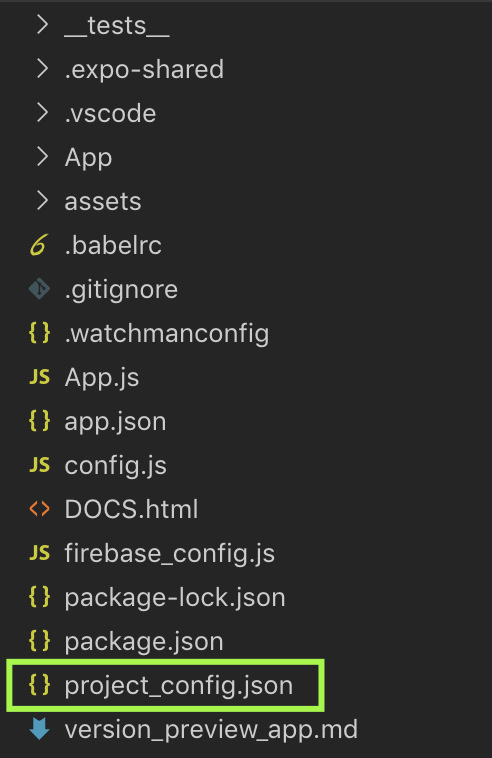
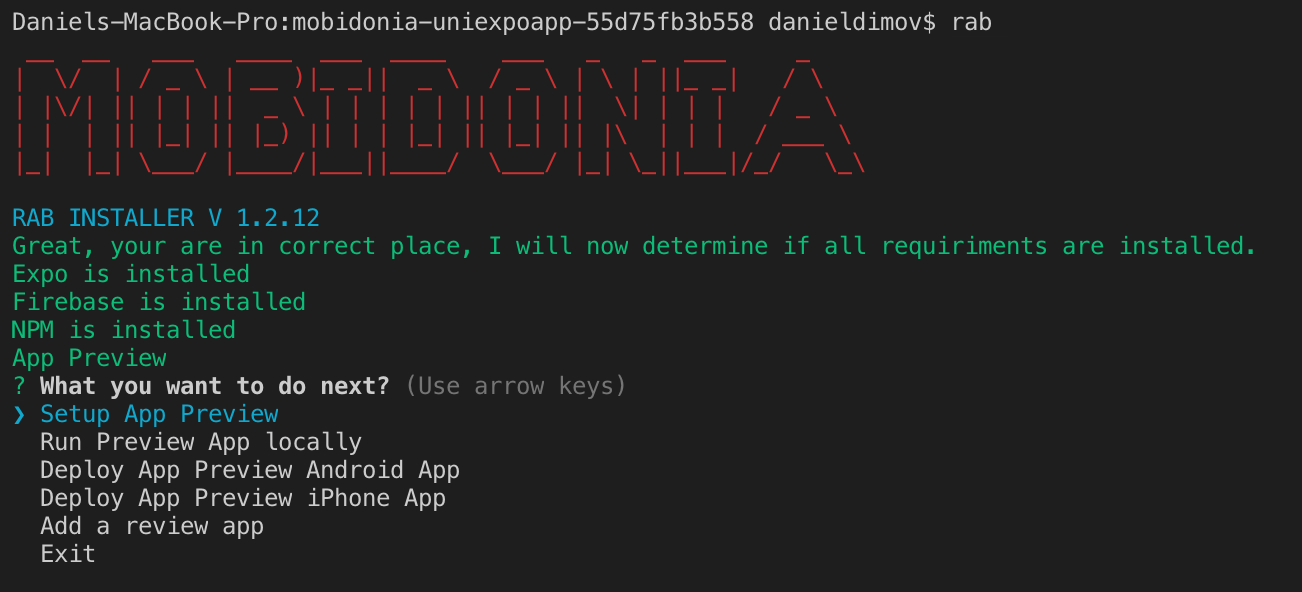
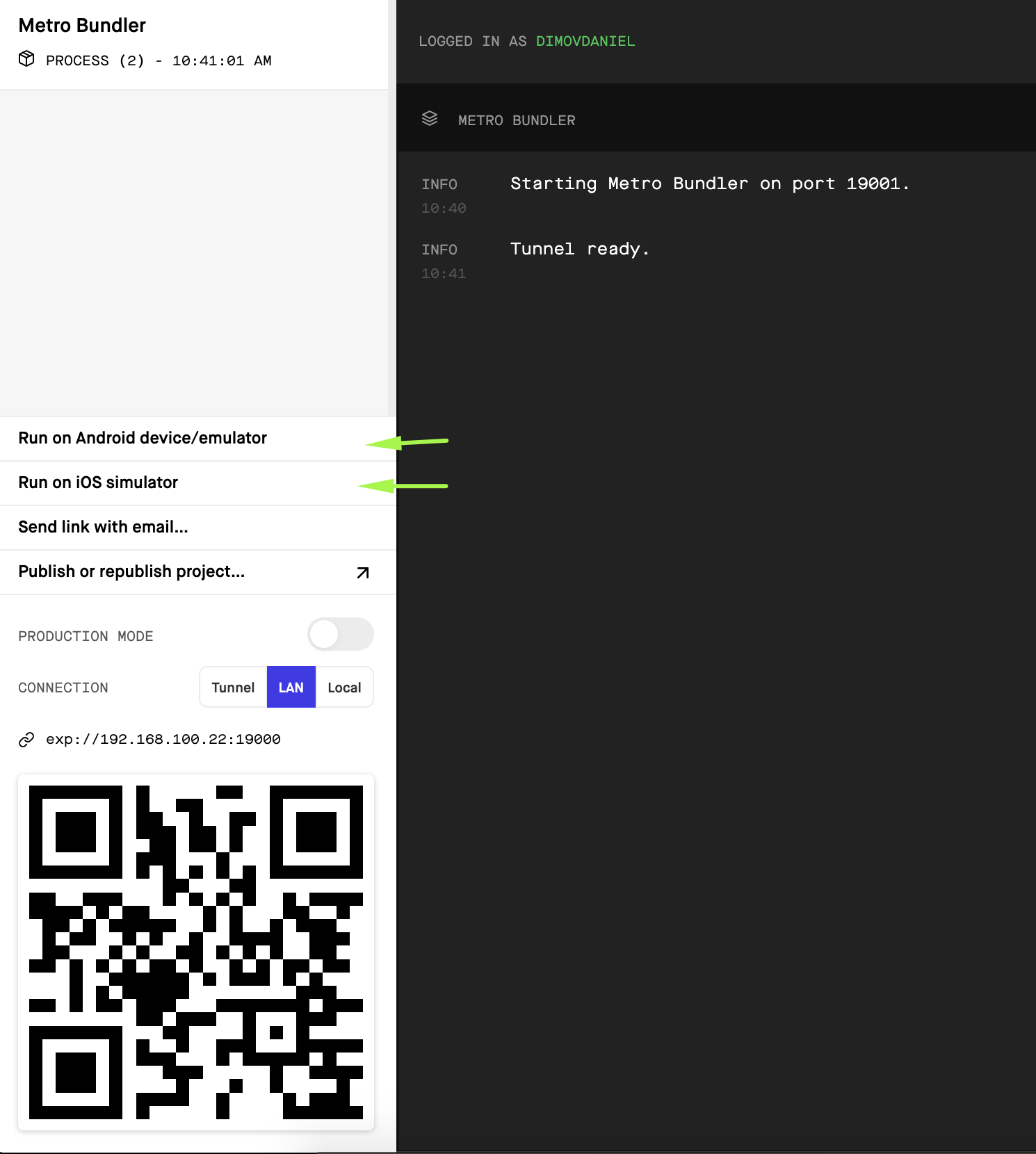
                <![CDATA[<h3>Requirements</h3><p>This App Preview requires that you have purchased and installed React App Builder. </p><p><br /></p><h3>Install</h3><p>Download the app preview app from your CodeCanyon Downloads. </p><p>Extract the zip file. </p><p><b>Important</b>: Copy the <a href="https://mobidonia.support-hub.io/articles/project-confiigjson-1431" target="_blank" rel="noreferrer noopener">project_config.json</a> file from your <a href="https://mobidonia.support-hub.io/knowledgebase/129" target="_blank" rel="noreferrer noopener">React App Build installation</a> to your App Preview.</p><p>Open the folder in VS Code. </p><p>The folder structure should look like this</p><p><img src="https://support-hub--assets.s3.eu-west-2.amazonaws.com/assets/74/images/DNa36FewmdDopMKiWfyHuQ0KviEhn4dp3HHD0gVA.png" style="width:25%;" alt="DNa36FewmdDopMKiWfyHuQ0KviEhn4dp3HHD0gVA.png" /><br /></p><p>Open a terminal and execute </p><pre>rab</pre><p>You should see the menu now</p><p><img src="https://support-hub--assets.s3.eu-west-2.amazonaws.com/assets/74/images/kyWLXM8dsNz8jh3NkMHGhMIvpvj7QeT3hBGUHoJw.png" alt="kyWLXM8dsNz8jh3NkMHGhMIvpvj7QeT3hBGUHoJw.png" style="width:100%;" /></p><p><br /></p><h3>Setup App Preview ( required )</h3><p>This option will do the following actions</p><ul><li>Install NPM modules</li><li>Set up firebase_config.js so your apps know how to connect to firebase</li><li>Set up app.json</li></ul><h3><br /></h3><h3>Run Preview App Locally</h3><p>This option will start your app locally. It will open the browser, and you will have the option to run on a device or simulator. You can see your app, take screenshots and if you don't like some image you can change in assets/images and in App/images. </p><p><img src="https://support-hub--assets.s3.eu-west-2.amazonaws.com/assets/74/images/T0CxlKpcxgATTGWYOsAT3XZa4JvCUCaL5tj6fKnq.png" style="width:100%;" alt="T0CxlKpcxgATTGWYOsAT3XZa4JvCUCaL5tj6fKnq.png" /><br /></p><h3><br /></h3><h3>Deploy android app</h3><p>When you are ok, how your preview app looks, you can execute the option to make an android .aab file. At the end of the process, you will receive a link to this .aab file. The file will be around 50MB, but when uploaded on Google Play will be resized to around 16MB. </p><p>Follow the onscreen instructions from expo.</p><p>Learn more about <a href="https://docs.expo.io/versions/v35.0.0/distribution/building-standalone-apps/" target="_blank" rel="noreferrer noopener">publishing with expo</a>. </p><h3><br /></h3><h3>Deploy iPhone app</h3><p>When you are ok, how your preview app looks, you can execute the option to make an iPhone app.  </p><p>Follow the onscreen instructions from expo.</p><p>This process will make the .IPA file for you. And you can do this from MAC, Windows and Linux.</p><p>But you will need a MAC computer to upload the .IPA file to Apple iTunes Connect.</p><p>There are some tools to upload ipa from windows, you can google search for that. </p><p>Or, there is a <a href="https://www.macincloud.com/">MacinCloud</a> that you can rent.</p><p>Learn more about<a href="https://docs.expo.io/versions/v35.0.0/distribution/building-standalone-apps/" target="_blank" rel="noreferrer noopener"> publishing with expo</a>. </p><p><br /></p><h3>Add a preview app</h3><p>Execute this option when your app is live on google play or AppStore. </p><p>It will add information on your landing page and in your builder. So users can download the app and login with their user/pass to preview the apps.</p><p><br /></p><p><br /></p>]]>
            </summary>
                                    <updated>2019-10-21T09:01:34+00:00</updated>
        </entry>
    </feed>